What is a URL?
URL stands for Uniform Resource Locator, commonly known as "URL" in Chinese. When you enter a URL into your browser, it directs you to a specific webpage or resource. In other words, a URL is the address on the internet that allows users to find a file, image, or page online.
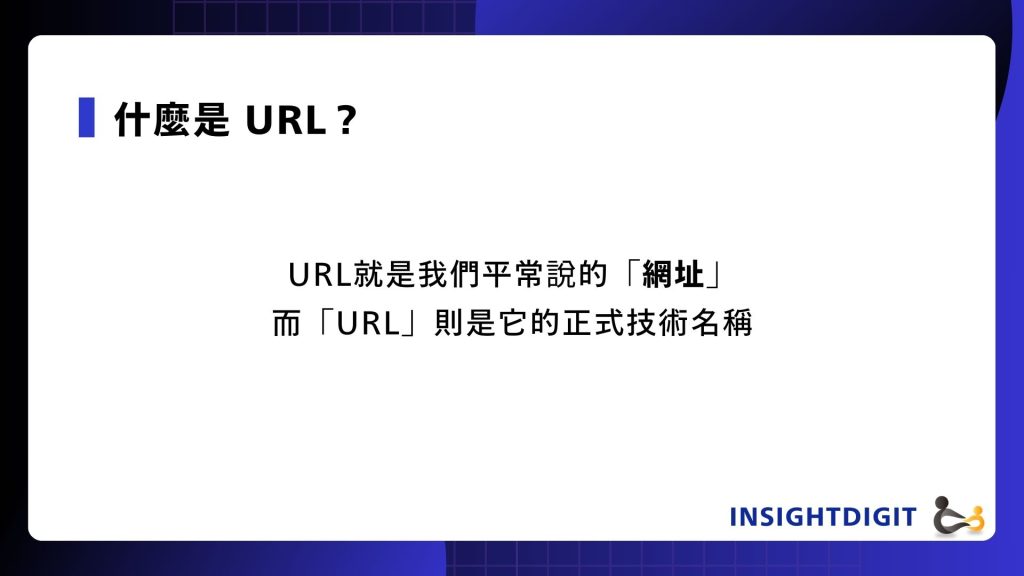
A URL, commonly known as a web address, uniquely identifies a webpage on the internet. A concise, keyword-rich URL not only enhances the user experience but also helps search engines better understand the content, ultimately improving SEO rankings.
What's the difference between a URL and a domain name?
URL (website address) and "domain name" are not the same thing! ! The difference is:
- Domain Name:
For example, the main address of our website is
https://insightdigit.com/ - URL:Contains the complete access path, including the protocol, subdomain, domain name, and subdirectory
https://insightdigit.com/blog/
In this example:
- https → Communication Protocol
- www → Host Name/Subdomain
- insightdigit.com → Domain name
- /blog → subdirectory (directs to a specific web page location)
What is the URL used for?
There can be countless URLs under a domain, and each URL corresponds to a different web page or resource.
For example:
https://insightdigit.com/blog/ → Go to blog
https://insightdigit.com/cases/ → Go to the portfolio
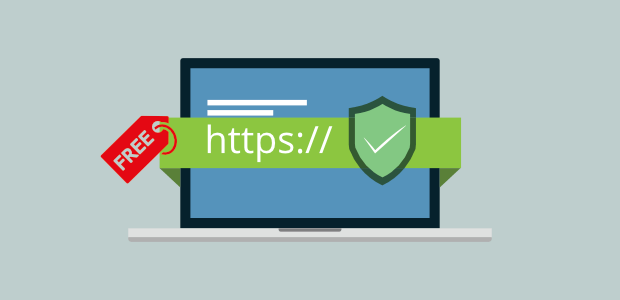
URLs also specify a communication protocol (such as HTTP, HTTPS, or FTP) to ensure data is transmitted correctly and securely. For SEO marketing, utilizing subdomains and subdirectories can help with SEO optimization, content categorization, and website structure planning.
👉 Further reading:2025 SSL Certificate Cost Comparison Chart | Free vs. Paid: Differences and Price Selection
Complete analysis of the URL structure
The simplest URL consists of three main parts:
- Communication Protocol:For example https、http、ftp.
- Domain Name:For example https://insightdigit.com/.
- File Path:For example /blog/, which represents the location of a specific page on a website.
Let’s use the website of Insight Digital Technology as an example:
- front page:https://insightdigit.com/
- Works Case Page:https://insightdigit.com/cases/
These elements make up the complete URL, which is the "network address" of a resource.
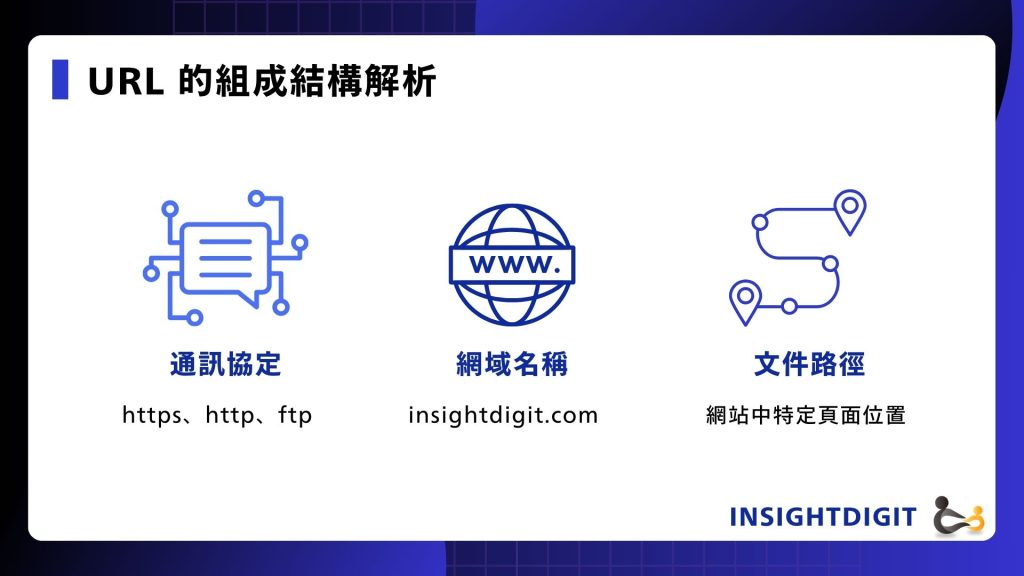
A URL consists of three parts: the protocol, the domain name, and the file path. Together, these elements determine the unique location of a web page and how it can be accessed.
Analysis of the 5 important elements of a URL: A URL is not just a string of gibberish!
We have organized the basic elements and meanings of URLs in a table to make it easier for everyone to read:
Element Name | illustrate | example |
Communication Protocol | Data transmission methods, common ones include HTTP, HTTPS, and FTP. | https:// |
Subdomain | Host name, often used to distinguish the purpose of the website, can be omitted without affecting the navigation. | www、blog、shop |
Second-level Domain | The core name of the website, usually the company or brand name, affects SEO and brand recognition. | cadiis、design-hu |
Top-level Domain (TLD) | The nature or purpose of the website. | .com、.edu、.gov |
Country Code TLD | Indicates the country or region where the website is registered. | .tw(Taiwan),.jp(Japan) |
Path | Points to the location of a specific page or file. | /portfolio/wowprime |
Further reading:A must-read for beginners: What is a domain? 5 essential concepts, from URLs to registration!
Behind the URL is the IP! One picture to understand how they connect to the website
Each website actually has a set of IP address (e.g. 203.11.65.4), but because numbers are difficult to remember, through DNS (Domain Name Server) Technology, we can use the "domain name" to replace the number and form a complete URL. This is why when we enter https://insightdigit.com/ When you click on the link, the browser will automatically find the corresponding IP address and redirect to the website correctly.
SEO Website Optimization | 3 Key Points for URL Structure
When planning a website's architecture, the URL (website address) design will impact the user experience and directly affect SEO rankings. Here are a few key points to keep in mind:
Keep URLs short and concise
- Long URLs are not conducive to sharing and can easily be mistaken for spam URLs.
- Avoid using unnecessary conjunctions (such as a, the, and, or, but, etc.) to keep the URL clean and concise.
example:
- Poor:https://www.example.com/the-best-and-most-complete-guide-for-url-seo-optimization
- good:https://www.example.com/url-seo-guide
Use lowercase letters consistently
The capitalization of the URL will be treated as different pages, for example:
- https://cadiis.com.tw/blog
- https://cadiis.com.tw/Blog
This can lead to duplicate content issues, so using lowercase is recommended.
The URL structure should be logical
The URL is like the house number of a website. A clear hierarchy helps users and search engines understand the content.
Simply put, when you tell the driver your home address, it will start with the county, city, region, which road, section, and number.
Examples of good apricot rhymes:
https://xingyun7.com.tw/product/好杏韵-Cocoa Nut Crisp/
- products → Products
- Hao Xingyun-Cocoa Nut Crisp → Product Model
This URL hierarchy allows search engines to understand website content more quickly, which is very helpful for SEO.
What are the benefits of URL optimization?
- Easy to understand:Users can infer the content of a page from the URL.
- Avoid getting lost: Logical hierarchical layout can help users and search engines navigate clearly.
- Facilitate data analysis:exist GA (Google Analytics)It can more clearly track traffic sources and user behavior.
URL FAQ
Is URL the same as the website address?
Yes, URL (full name is "Uniform Resource Locator") is a "website address." "URL" is its official technical name.
How to view mobile URL?
To view a URL on your phone, simply open your favorite browser (Chrome or Safari) and navigate to the webpage you want to view. The webpage's URL will appear in the address bar at the top of the screen. Tap the address bar, then long-press the URL. Once it's selected, tap the "Copy" icon to copy the URL to your clipboard.
How to build a URL?
- Think of a website name first
Just like your Instagram account, come up with a unique and memorable name, such as "mywebsite". - Go register this name
Go to some domain registration websites (like GoDaddy, Namecheap), enter your name, and see if anyone has used it. If no one has used it, you can buy it, like this:mywebsite.com. - Find a place to put your website
Now that you have a website address, you need a place to store the website content. This is called "website hosting". You can rent a service like Bluehost or SiteGround. - Create your website and upload it
Create web pages using HTML or a website building tool and upload them to the hosting space you rent. - The URL is complete!
Others can see your website by simply entering the URL you purchased (such as mywebsite.com).
How to find the URL?
Just open the browser on your computer or mobile phone and you can see it in the URL bar above!
If you use Google or other search engines to find the webpage, you will usually see the URL of the webpage below each search result. Or you can directly enter keywords in the search box to find the website you want, then click on it and look at the URL column to know its URL.
Insight into digital technology|Kaohsiung website design company!
Insights into digital technology Designed for B2B, startups, manufacturing and education industries Create a professional website:
✅ Preset import SSL/HTTPS Architecture, avoid security warnings and trust crises
✅ SEO Architecture + Aesthetic Design, reduce the risk of errors such as 404 and enhance user experience
✅ Provide Complete hosting service, handle website anomalies immediately, allowing you to focus on business development
👉 Don't let 404 errors drag down your brand image, make an appointment now Free consultation, and work with us to create a safe, stable and trustworthy website!